Area Maps
Participants must follow all Rules and specific area regulations of the eight competition locations:
- Big Cypress Wildlife Management Area
- Everglades and Francis S. Taylor Wildlife Management Area
- Everglades National Park
- Frog Pond Public Small Game Hunting Area
- Holey Land Wildlife Management Area
- Rocky Glades Public Small Game Hunting Area
- Rotenberger Wildlife Management Area
- Southern Glades Wildlife and Environmental Area
Florida Python Challenge™ Virtual Maps
Some Florida Python Challenge™ locations have minimal cell service. Participants should plan ahead by accessing one of the virtual map options to download and/or print maps of their selected search area(s).
There are two options for accessing the 2026 Florida Python Challenge™ competition location maps.
- ArcGIS Field Maps: Once downloaded, it enables users to access maps offline.
- Interactive Mapping Tool: New this year, this tool allows users to customize their maps for specific search areas, view additional information and download maps for printing and offline use.
More detailed explanations and links for both virtual map options are below.
Option 1: Using ArcGIS Field Maps Mobile App
Step 1: Download the ArcGIS Field Maps mobile app.
The app is available for Apple devices and Google devices.

Step 2: Open ArcGIS Field Maps and opt to skip the sign in step.
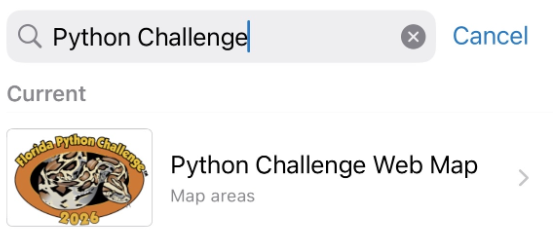
Step 3: type "Python Challenge" in the search bar.
Note: All competition locations are combined into a single mobile map available in the free ArcGIS Field Maps app. The map takes about 3 minutes to download and is best done using WiFi. Once download is complete the "Python Challenge Web Map" will be available for offline use.
Option 2: Using the Interactive Mapping Tool
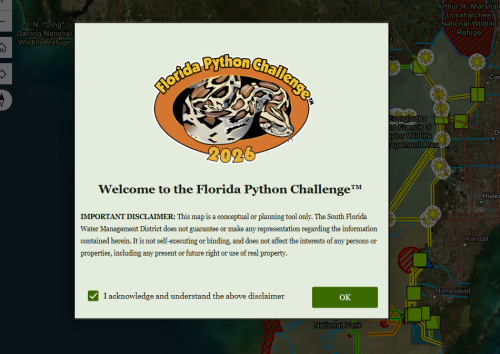
Step 1: Open the Interactive Mapping Tool and read and acknowledge the disclaimer.
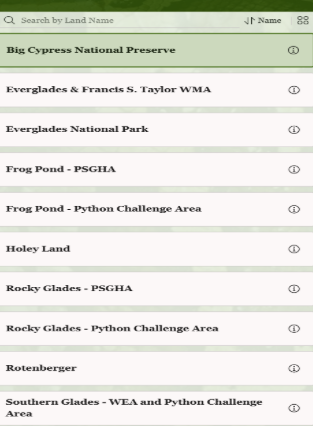
Step 2: Use the side panel to navigate through competition locations. Use the information icon next to each competition location name for more information.
Note: On mobile devices this screen can be accessed using the small pull-out menu on the bottom of the screen.
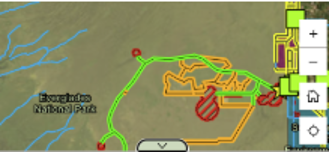
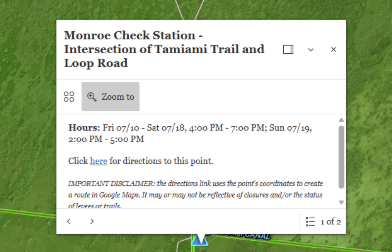
Step 3: Click on map elements for more details and directions to specific sites.
Step 4: Use the "Print" function at the top of the screen to download a printable version of this map.
Note: On mobile devices this function can be found using the menu button (☰) and navigating the "information" section. Mobile users can also use this geo-referenced PDF and upload it into navigation apps like Avenza to have offline access.
Use the "Help" button in the top right corner of the screen for an in-depth tutorial of the feature of this Interactive Mapping Tool.